Securing Cloud Run Clients
Quick tips for securing Cloud Run services with proxies and sidecars.
August 12, 2026
Historically much of our work was deployed on AppEngine. In part from familiarity and in part from internal "reasons" but it served us well. This handled marketing sites fine and internal tools were easy to secure through the use of Identity-Aware Proxy (IAP). Both AppEngine and IAP require almost zero DevOps or Cloud knowledge so it was easy for team members to deploy from source, toggle IAP on and perhaps at most update some IAM rules for managing access.
The only real hurdle was managing request routing of services behind IAP. Since IAP uses cookies to handle authentication we can't easily handle cross-origin requests. The simplest option was to manage what domains the services are sitting behind: same domain means cookie valid for both services. We didn't want any service unnecessarily accessible on the open web so handling requests to a backend was done either by simply having a "monolith" backend serve the frontend within the same service or by updating the routing rules through the dispatch.yaml file so multiple services were served by the same domain in something more akin to a 3-tier web app.
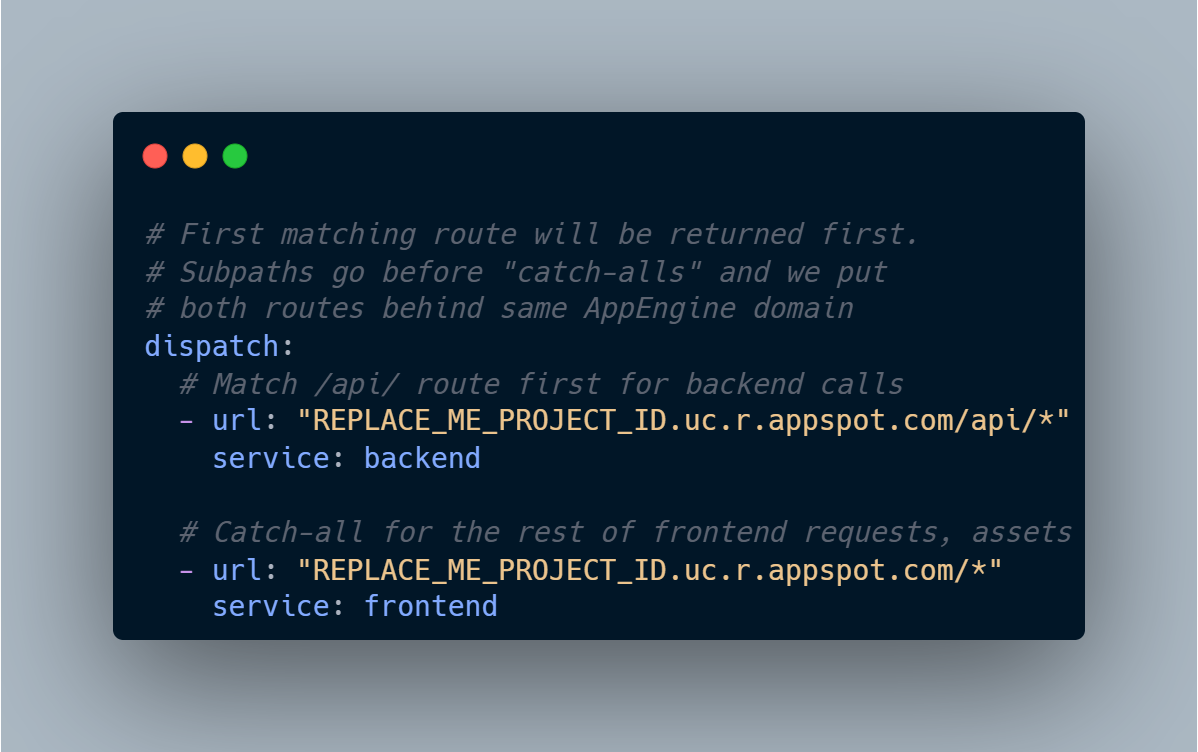
Technically speaking you could redirect a user to the backend domain, retrieve the IAP cookies for that domain and then redirect back to your client. Requests to the backend could then be made by using credentials: include within any fetch requests which would pass along those credentials but this always felt a bit janky and team members complained about the redirects on the frontend.
As team needs changed, more internal tooling was developed and AppEngine got older we started to move towards Cloud Run. This provided us with the same benefits of having a scalable serverless option but with more modern tooling and control over containers when we needed them. However, we still had the same auth requirements as before, and a new service required new ways of managing access.
We still want all internal client services behind IAP and no service should allow unauthenticated requests. Enabling IAP for Cloud Run used to require setting up a load balancer first but thankfully is now as simple as setting a boolean flag when deploying. If services are small enough and the only backend you need to query is one you're writing at the same time then similar to AppEngine you can just deploy those together as a single-service container and use relative paths when making API requests.
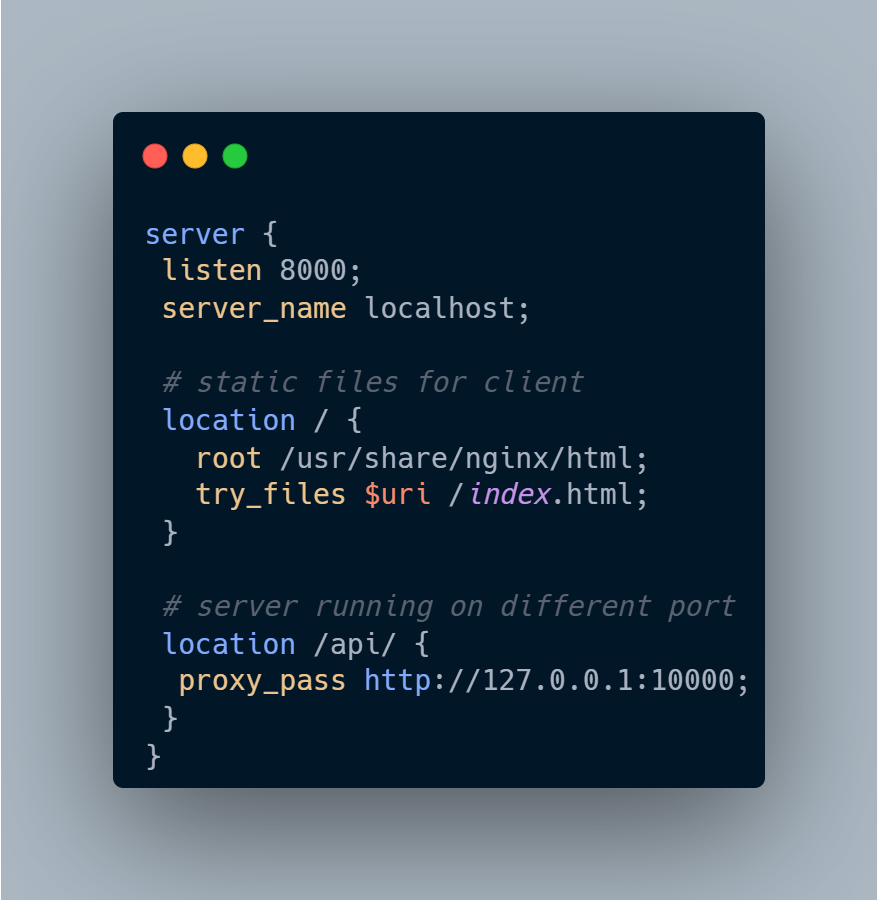
The single-service container becomes a bit of an issue if as your project grows since you can't scale the client and server independently and it becomes a non-starter if there's another container deployed somewhere that needs to be securely accessed. We can't make authenticated requests from a client to a private Cloud Run service - we need to proxy the request.
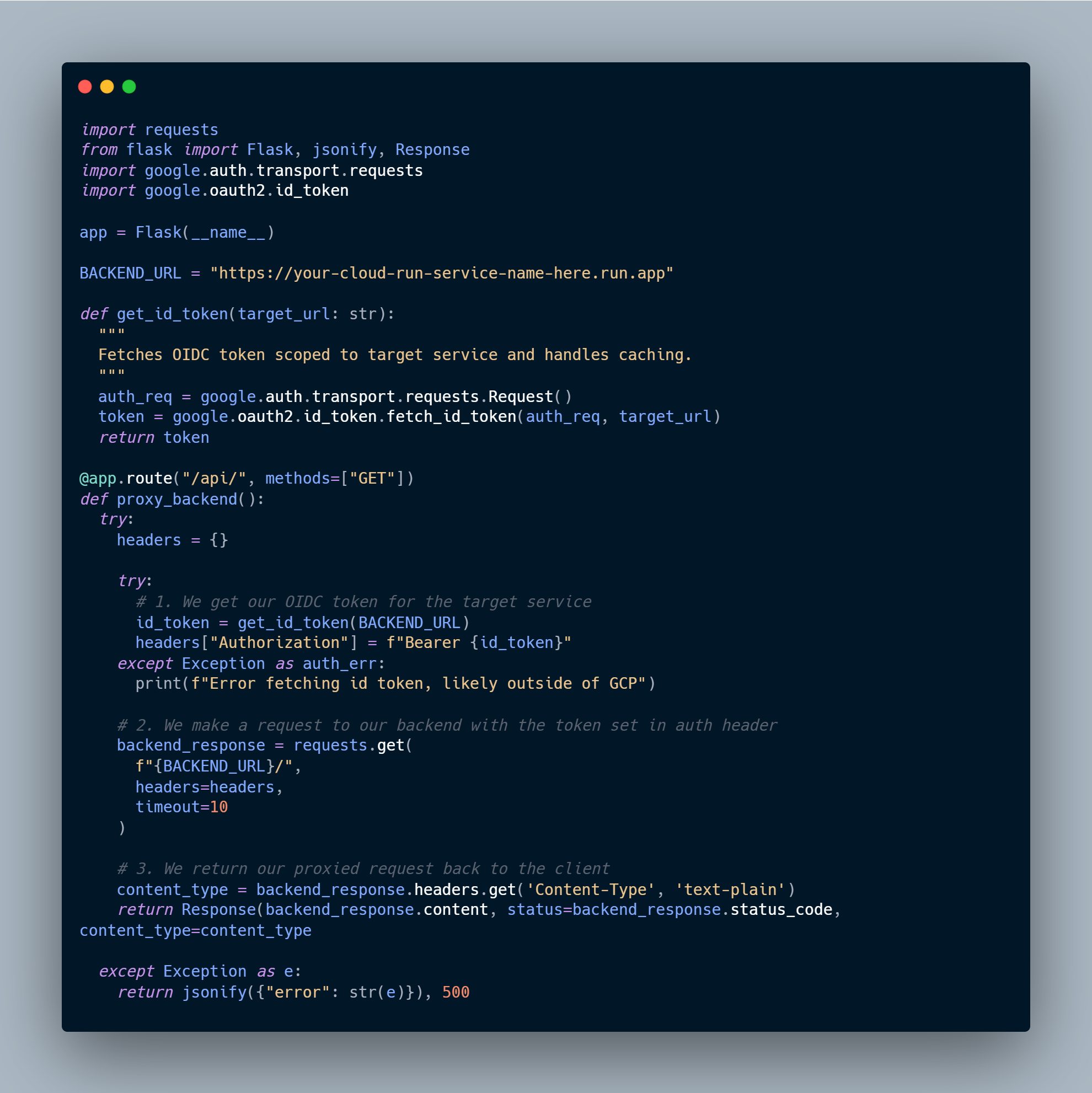
Let's say you have a single-service container and then you need to query a new service. The simplest option is simply going to be to use a client library to get an OIDC token for your Cloud Run service account and pass that along with your request to the separate service. The calling service account (SA) will still need the invoker role on the target Cloud Run instance, but without the token there's no way to identify the caller.
If instead of select calls requiring the new service you instead have all the processing moved to the separate service you would simply have one API endpoint within your single-service container acting as almost a "pass-through proxy" which just gets the token and makes the request as the service account (SA) in the Cloud Run container. A simple example of a Flask server is shown below with one route that gets a token and calls another service.
If you don't necessarily want to manage a web server just to proxy the requests, you can also configure a similar flow with a sidecar container. Sidecar containers are deployed alongside your main "ingress" container within the same Cloud Run instance and can then be accessed over localhost.
With a sidecar we're still proxying requests, but the proxy within the client container can be much more lightweight such as an nginx proxy_pass over to our sidecar container which could be running Envoy which has a filter to authenticate with GCP.
While this sounds like the same flow as earlier but with more steps, it does provide a few advantages. The main one being that you can keep your frontend application container free of any of the backend logic apart from a simple proxy pass. Additionally, the sidecar container can be maintained separately and shared among all your other services that require it (assuming your team has the resources and appetite to do so).
Sidecar or not, the main takeaway should be: it isn't that hard to authenticate your service to service Cloud Run calls even if they're originating from a client. Unless you actually need an unauthenticated serivce don't be lazy and open it up just because it's easy. You have no excuse now not to keep things secure.
Cheers,
Luke